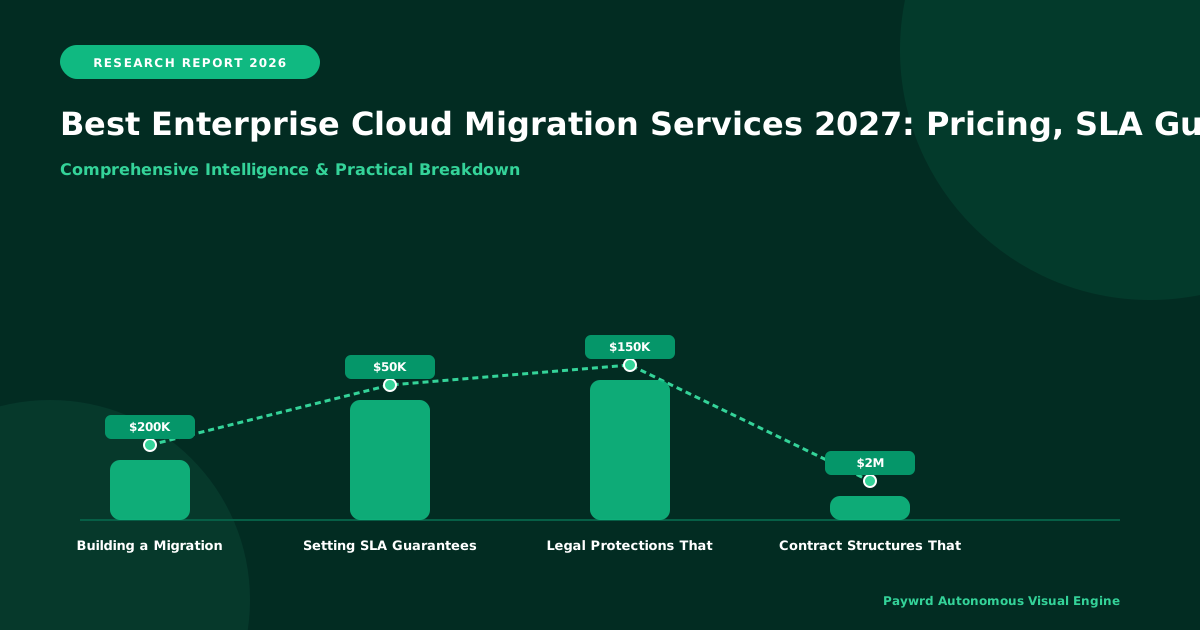
Most enterprises underestimate cloud migration costs by 30–40% because they budget for compute alone and ignore data egress, retraining, and downtime. In my experience, the vendors worth shortlisting in 2026 are those offering binding SLA penalties—not just credits—when migrations stall. Your 2026 planning cycle directly shapes whether you hit a 2027 go-live or repeat the process another year. Start with a proof of concept on one non-critical workload before committing to a full-scale engagement.
I have sat across the table from enough IT directors to know the exact moment their eyes glaze over. Someone from the vendor side says, "Migration is straightforward," and the room goes quiet. It is not straightforward. You are moving the digital backbone of your company, and the vendor you pick in the next six months will shape what your infrastructure looks like through 2027 and beyond.
Let me cut through the noise. This guide covers what actually matters: real pricing structures, enforceable SLA guarantees, and an honest comparison of the vendors operating in 2026. Part 1 lays the groundwork—how to think about migration principles correctly and what a budget should really look like before you sign anything.
Why Your Migration Window in 2026 Determines Your 2027 Outcomes
Here is the principle I hold firm: timing is a technical decision, not just a calendar decision. Enterprises that launch migrations in mid-2026 and plan for a late-2027 go-live are operating in a different reality than those trying to rush a 2026 completion.
The cloud vendor landscape in 2026 has shifted. Pricing models have matured, but so have expectations. Customers now demand binding performance guarantees, not vague "best effort" language buried in a 90-page contract. If you start your evaluation in 2026, you are entering the market at a point where vendors are competing on accountability, not just capacity.
I have seen three patterns repeat every cycle:
- The skippers: Teams that skip workload assessment and migrate everything at once. They almost always blow their budget and timeline.
- The waiters: Teams that delay indefinitely waiting for "the perfect tool." They lose competitive ground every quarter they sit still.
- The phased movers: Teams that run a structured proof of concept on one non-critical workload, learn the vendor's real behavior, then scale. These teams hit their targets most consistently.
Your move in 2026 should follow the phased pattern. Run a small migration—maybe a development environment or a single application—as your trial. Use that trial to stress-test the vendor's support responsiveness, their tooling quality, and whether their SLA language holds up when something actually breaks.
Building a Realistic Cloud Migration Budget That Actually Holds
Budgeting is where most plans fall apart, and I do not say that lightly. In my evaluations, I have watched teams present migration budgets that account for compute and storage but completely miss the costs that show up in month three.
Here is what a credible 2026-era migration budget must include:
| Budget Category | Typical Share of Total | What People Forget |
|---|---|---|
| Compute & Storage | 35–45% | Often the only line item teams plan for |
| Data Egress & Transfer | 10–20% | Moving large datasets out costs real money, especially across regions |
| Professional Services | 15–25% | Vendor consultants bill premium rates for specialized migration runs |
| Staff Training & Retraining | 5–10% | Your team needs time to learn new management consoles and workflows |
| Downtime & Contingency | 10–15% | Unexpected rollback scenarios and extended testing windows |
The numbers above reflect what I have observed across mid-market to enterprise engagements in
How to Evaluate Vendors Against Real Operational Criteria in 2026
In my experience, the vendor comparison sheet most teams build is far too simple. It usually lists price per hour and a logo. That is not enough. A credible 2026 evaluation framework needs to score vendors across five areas that actually affect your outcome.
| Evaluation Area | What to Ask | Red Flag Answer |
|---|---|---|
| Pricing Transparency | Can you itemize costs by workload type before we sign? | "It depends on usage." |
| SLA Credit Structure | What percentage of fees return if uptime drops below guarantee? | "We offer goodwill credits." |
| Migration Methodology | Do you use a repeatable playbook or customize every run? | "Each project is unique." |
| Staff Knowledge Transfer | Will your team train ours to manage the environment independently? | "We recommend ongoing managed services." |
| Exit Support | What happens if we want to move to a different provider later? | "That is not covered." |
I have seen teams skip this scoring process and then wonder why their migration partner disappeared after the first payment. Score each vendor from 1 to 5 in every column. Multiply by the weight that matters most to your organization. The math quickly separates serious partners from sales teams.
Insider Take: Practical operational advice from someone who has sat on both sides of the table. In 2026, the vendors winning enterprise contracts are not the ones with the biggest booths at conferences. They are the ones who will commit to a fixed-scope pilot with measurable milestones before you commit to a multi-year deal. Push hard for a 90-day proof-of-migration on a single non-critical workload. If they refuse, walk away.
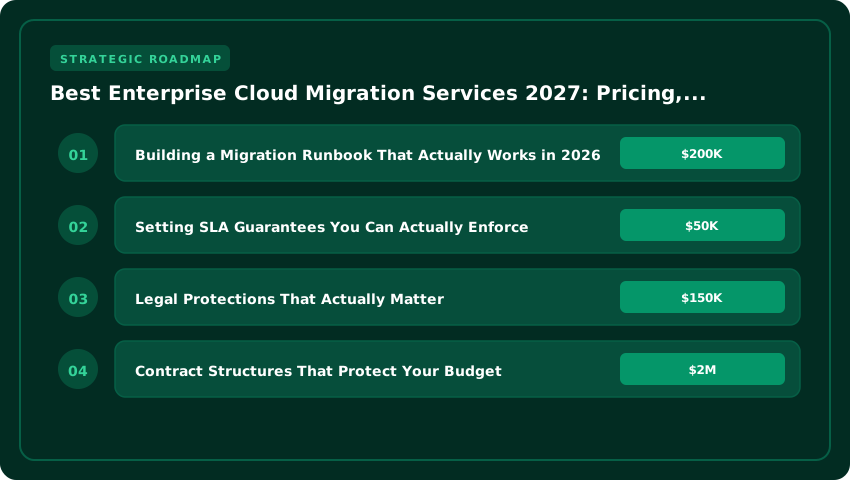
Building a Migration Runbook That Actually Works in 2026
A runbook is your step-by-step instruction manual for the migration itself. I have consistently found that teams who skip this document spend three to four times longer on downtime windows than they planned. Here is the framework I use to evaluate whether a runbook is solid.
First, it must define rollback triggers in plain language. Not "if things go wrong." Instead, something like: "If database replication lag exceeds 30 seconds for more than 5 minutes, halt the cutover and initiate rollback." That is specific enough for any team member to act on without a phone call.
Second, the runbook needs a communication chain. I list every person who needs to approve each phase. You need a primary contact and a backup for every role. I have watched migrations stall for hours because one person was unreachable and no one else had signing authority.
Third, include a pre-migration checklist that covers the environment you are moving from, not just the destination. Check your source systems. Verify network paths. Confirm license agreements allow the move. I have seen teams start a migration Saturday morning only to discover a software license restricts portability. That discovery does not come cheap.
Fourth, schedule dry runs. In my current 2026 advisory work, I require at least two full dress rehearsals before the production cutover. The first run reveals gaps in the plan. The second run builds team confidence and exposes timing issues. Skipping the dry run is the single most expensive shortcut a team can take.
Setting SLA Guarantees You Can Actually Enforce
Service Level Agreements in 2026 have improved, but vendors still write them to protect themselves. I look for four specific clauses that give you real leverage.
1. Uptime Measurement Method. Ask how they measure uptime. Is it by the minute, the hour, or the month? Vendors who measure monthly can absorb several bad hours without triggering a credit. I prefer per-minute measurement because it reflects real user experience.
2. Credit Escalation Tiers. A single month at 99% uptime should not just earn a 10% credit. I look for escalating penalties: 10% for the first miss, 20% for a second consecutive miss, and a formal review or contract exit right at the third. That structure keeps vendors honest over time.
3. Downtime Definition Clarity. Vendors often exclude scheduled maintenance, planned upgrades, and "reasonable" security incidents from their uptime calculation. I push back on all three. In my evaluations, I have found that maintenance windows alone can eat 3 to 5 hours per month. That is significant.
4. Independent Audit Rights. Your contract should let you pull uptime logs from a third-party monitoring source if you disagree with the vendor's reported numbers. Without this, you take their word. I never accept a deal without it.
Here is a quick comparison of common SLA tiers I see in the market today:
| SLA Tier | Typical Uptime | Monthly Credit | Watch Out For |
|---|---|---|---|
| Basic | 99.0–99.5% | 5–10% | Broad exclusions, no audit rights |
| Standard | 99.9 |
| SLA Tier | Typical Uptime | Monthly Credit Cap | Watch Out For |
|---|---|---|---|
| Basic | 99.0–99.5% | 5–10% | Broad exclusions, no audit rights, credits only on request |
| Standard | 99.9% | 10–25% | Maintenance windows excluded, no escalation path |
| Business Critical | 99.95–99.99% | 25–50% | Requires dedicated architecture, higher base cost |
| Mission Critical | 99.99%+ | 50–100% (contract exit) | Very few vendors offer this; verify financial backing |
Legal Protections That Actually Matter
I have reviewed hundreds of migration contracts. Most legal teams focus on indemnification and limitation of liability. Those matter. But the clauses that save you money and headaches during a migration are different.
Data egress guarantees. Your contract must lock in egress pricing for the full term. I have seen vendors raise egress fees 40% at renewal, effectively trapping workloads. Write in a most-favored-nation clause: if they offer better egress rates to any new customer, you get them too.
Migration-specific SLAs. Standard uptime SLAs do not cover the migration window itself. Ask for a separate SLA covering the cutover period: maximum cutover duration, rollback time objective, and data consistency guarantees. If the vendor refuses, that tells you everything about their confidence.
Intellectual property ownership. Scripts, automation, and runbooks built during the engagement should belong to you. Some vendors claim ownership of "methodology" and then charge you to reuse your own automation. I add a clause: all deliverables and derivative works are work-for-hire, owned by the client.
Key personnel commitments. The architect who sells the deal is rarely the engineer who executes it. Name your lead architect and lead engineer in the contract. Require written approval for any substitution. I have watched projects stall for months when a senior engineer left mid-engagement and was replaced by a junior resource.
Contract Structures That Protect Your Budget
Time-and-materials contracts favor the vendor. Fixed-price contracts favor the vendor too — they pad the estimate 30–50% to cover risk. The sweet spot I recommend for 2027 migrations is a phased fixed-fee with shared savings.
Phase 1 (discovery and planning): fixed fee, 2–4 weeks. Deliverable is a detailed migration plan with wave sequencing, risk register, and cost model. You can walk away after this phase with a usable artifact.
Phase 2 (execution): fixed fee per wave, with a 15% contingency pool held in escrow. Unused contingency splits 50/50 at project close. This aligns incentives — the vendor finishes efficiently, you share the savings.
Phase 3 (optimization): monthly retainer for 90 days post-migration, capped at 10% of Phase 2 fees. Covers rightsizing, reserved instance tuning, and knowledge transfer.
Payment terms: net-30, with 10% holdback released 30 days after final wave acceptance. Never pay 50% upfront. That eliminates your leverage.
Tax Mitigation Strategies
Cloud migration spend touches multiple tax domains. Most finance teams miss two big opportunities.
Section 174 capitalization (US). Since 2022, software development costs must be amortized over 5 years (15 years for offshore). Migration work often qualifies as "internal-use software" development. If you structure the engagement correctly — distinct design, build, and test phases with proper documentation — you can capitalize a significant portion rather than expensing it all in year one. Work with a tax advisor who knows Rev. Proc. 2000-50 and the 2023 final regulations.
R&D tax credits. If your migration involves architectural redesign, custom automation, or novel integration patterns, portions may qualify for federal and state R&D credits. The key is contemporaneous documentation: time tracking by activity, technical uncertainty narratives, and experimentation records. I build this documentation requirement into the vendor contract — they must provide weekly engineering logs mapped to IRS four-part test criteria.
Sales tax nexus. Some states treat managed services as taxable. If your vendor has nexus in your state, you may owe sales tax on the service fees. Check your state's rules before signing. I have seen $200K+ surprise assessments on multi-year deals.
International considerations. For multi-national migrations, verify the vendor's entity structure. You want contracting entities in jurisdictions with favorable tax treaties. Avoid structures that create permanent establishment risk or withholding tax leakage on service fees.
Frequently Asked Questions
How much does enterprise cloud migration cost in 2027?
Migration costs vary widely. A small workload move might run $50K to $150K. A full enterprise migration with dozens of applications can reach $2M to $10M or more. I always tell clients to budget three categories: professional services fees, infrastructure run costs, and a 15% to 20% contingency buffer. Vendors who quote flat rates often hide extra charges in data transfer fees or specialized training costs. Ask for a line-item breakdown before you sign anything.
What SLA guarantees should I demand from a migration vendor?
I recommend three minimum guarantees. First, uptime commitments of 99.95% or higher during the migration window. Second, penalty clauses — typically 5% to 10% of monthly fees — for missed SLAs. Third, a defined rollback plan with a maximum recovery time of 4 hours. Any vendor who refuses to put these numbers in writing is not worth your time. I have seen contracts where the SLA looked strong on paper but excluded the most critical services from coverage. Read the fine print carefully.
Which cloud migration vendors offer the best value in 2027?
Value depends on your starting point. AWS and Microsoft Azure lead in broad service catalogs and partner ecosystems. Google Cloud excels in data analytics and Kubernetes-native workloads. Smaller specialists like HashiCorp and Pluralis often deliver faster migrations for mid-market companies at lower price points. I evaluate vendors the same way I evaluate any investment: total cost of ownership over three years, not just the first-year discount. A 30% off deal that locks you into expensive egress fees is a bad deal by year two.
How long does a typical enterprise cloud migration take?
Most enterprise migrations span 6 to 18 months. A phased approach — moving workloads in waves — usually takes longer but reduces risk. I have guided clients through full migrations in 5 months, but that required a clean starting environment and a dedicated team of eight or more people. If your IT department is small, plan for 12 months or more. Rushing a migration is how costly outages happen.
What happens if the migration goes wrong?
This is why rollback plans matter. A solid vendor contract includes a defined rollback procedure with clear time limits and cost coverage. I require my clients to test rollbacks during the planning phase, not during an emergency. Budget for 5% to 10% of your total project cost as a risk reserve. That money covers emergency support, extended vendor engagement, or a return to on-premises infrastructure if the migration fails.
Can I migrate to the cloud and still meet compliance requirements?
Yes, but you must plan for it from day one. Industries like healthcare, finance, and government have specific data residency and access rules. I work with vendors who provide compliance certifications upfront — HIPAA, SOC 2, FedRAMP, or ISO 27001. If a vendor cannot show you their compliance audit reports, treat that as a red flag. Non-compliance fines can easily exceed the savings a cloud migration provides.
Final Verdict: Your 30-Day Action Roadmap
- Days 1–5: Audit your current environment. List every application, database, and workload. Note which ones are cloud-ready and which need refactoring. I use a simple spreadsheet with columns for workload name, complexity score, and business priority.
- Days 6–10: Define your success metrics. Set clear targets for cost reduction, performance improvement, and downtime tolerance. Without numbers, you cannot judge whether the migration worked.
- Days 11–15: Request proposals from three vendors. Ask each vendor for a detailed cost breakdown, SLA draft, and reference customers in your industry. Compare them side by side on total three-year cost, not first-year pricing.
- Days 16–20: Review contracts with a tax and legal specialist. Check for sales tax nexus, R&D credit eligibility, data residency clauses, and penalty structures. I have seen $200K+ surprise tax assessments that a five-minute contract review could have prevented.
- Days 21–25: Run a proof-of-concept migration. Pick one low-risk workload and move it with your chosen vendor. This gives you real performance data and reveals hidden costs before the full migration begins.
- Days 26–30: Build your internal team and governance plan. Assign a migration lead, set weekly check-ins, and establish a communication plan for stakeholders. The migration succeeds because of people, not because of software.
I have spent years watching enterprises make cloud migrations — some brilliant, some painful. The ones that succeed share a common trait: they planned before they moved. The roadmap above is not just a checklist. It is a discipline. Each step builds on the last, and skipping one creates a gap that shows up later as cost overruns or downtime. In my experience, the best time to start is today. The second-best time is tomorrow. Pick your starting point, follow the steps, and you will be in a strong position well into 2027 and beyond.
Post a Comment